Authentication Integration
Intel® AI for Enterprise RAG supports multi-factor authentication and Microsoft Active Directory federation through Keycloak.
Configure this when users should sign in with their existing corporate accounts rather than the local accounts created at install time. It changes who can reach the UI and the API, so it is usually the step that turns an evaluation deployment into something you can hand to a wider group.
Multi-factor authentication (MFA)
MFA using Google Authenticator can be enabled on an already-running deployment through the Keycloak admin console.
Prerequisites
- Intel AI for Enterprise RAG deployed with Keycloak enabled
- Keycloak admin credentials (available in
env/<name>/logs/rag/default_credentials.txtafter install)
Enable MFA
Log in to the Keycloak admin console at
https://keycloak.<base_domain_name>(insubdomainrouting mode) orhttps://<base_domain_name>/auth(inpathrouting mode) asadmin.Switch to the
EnterpriseRAGrealm.Navigate to Authentication → Flows.
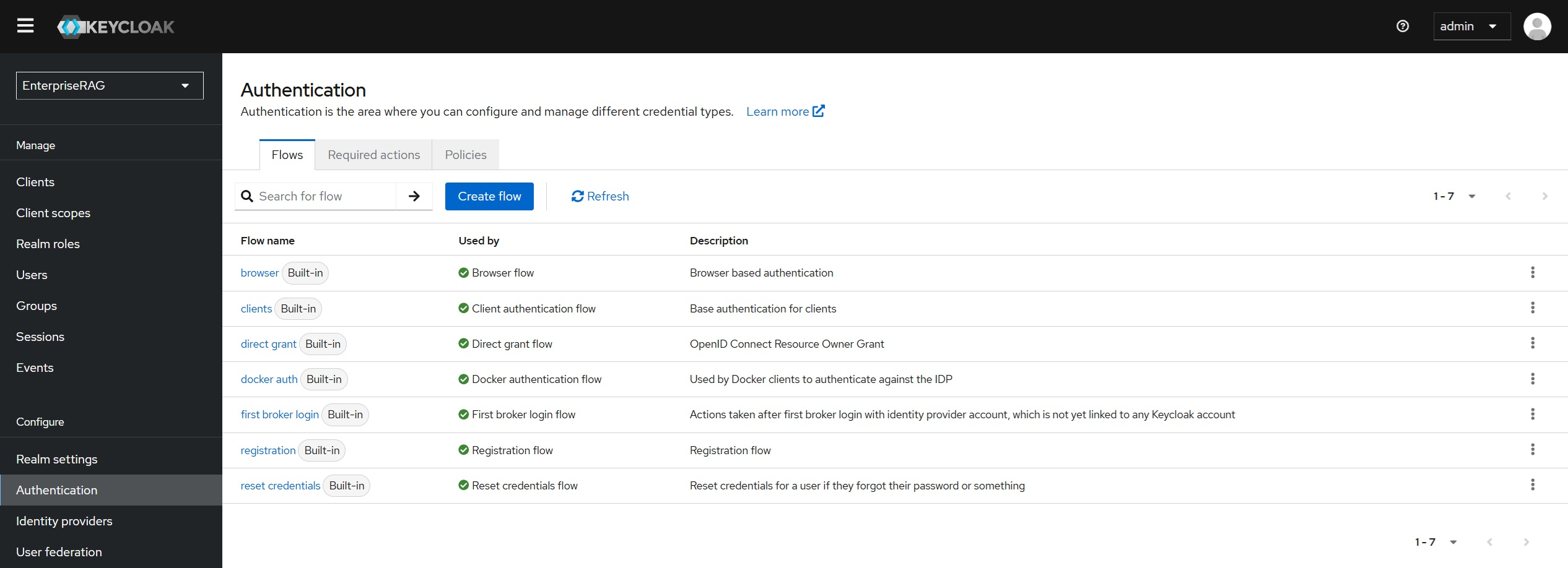
Select Browser from the Authentication Flows list.
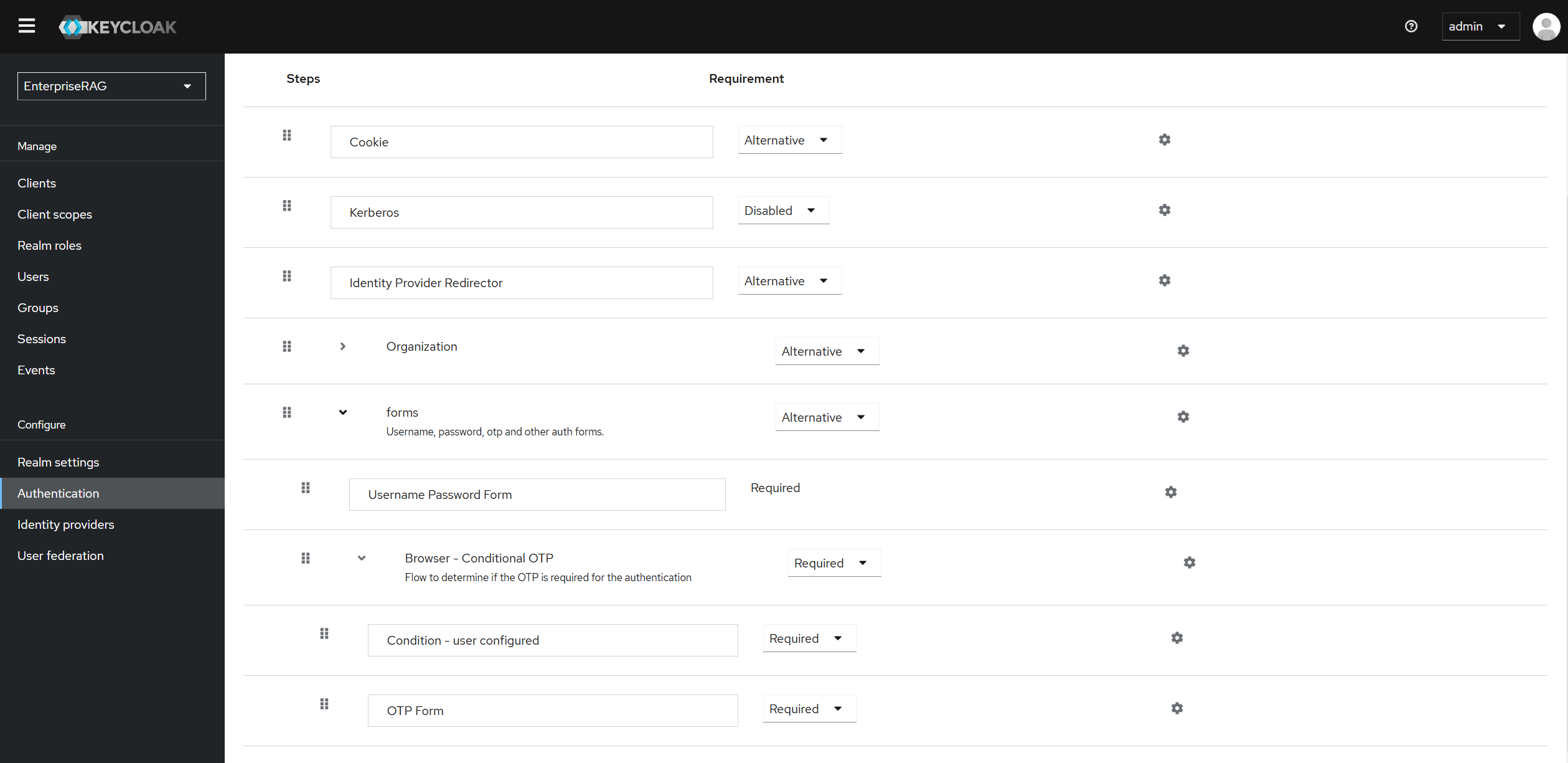
Find the Browser Conditional OTP step in the flow tree. If not present, add it:
- Click Add Step
- Select Conditional OTP Form
Set Browser Conditional OTP and OTP Form to REQUIRED.
Configure OTP policy
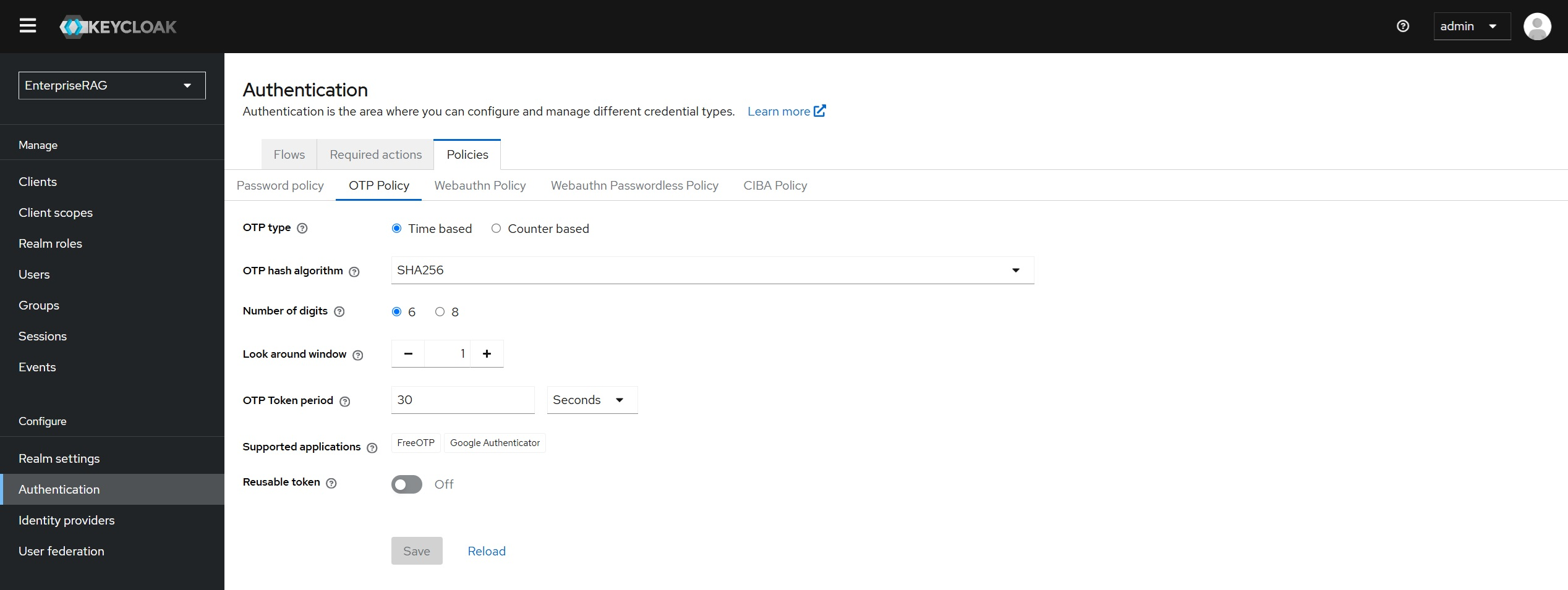
Navigate to Authentication → Policies → OTP Policy.
Configure:
- OTP Type: TOTP (Time-based OTP)
- OTP Hash Algorithm: SHA-256
- Number of Digits: 6 (default)
- Look Ahead Window: 1 (default)
- OTP Token Period: 30 seconds (default)
- Supported Applications: Ensure
Google Authenticatoris selected
Click Save.
Enforce MFA for all users
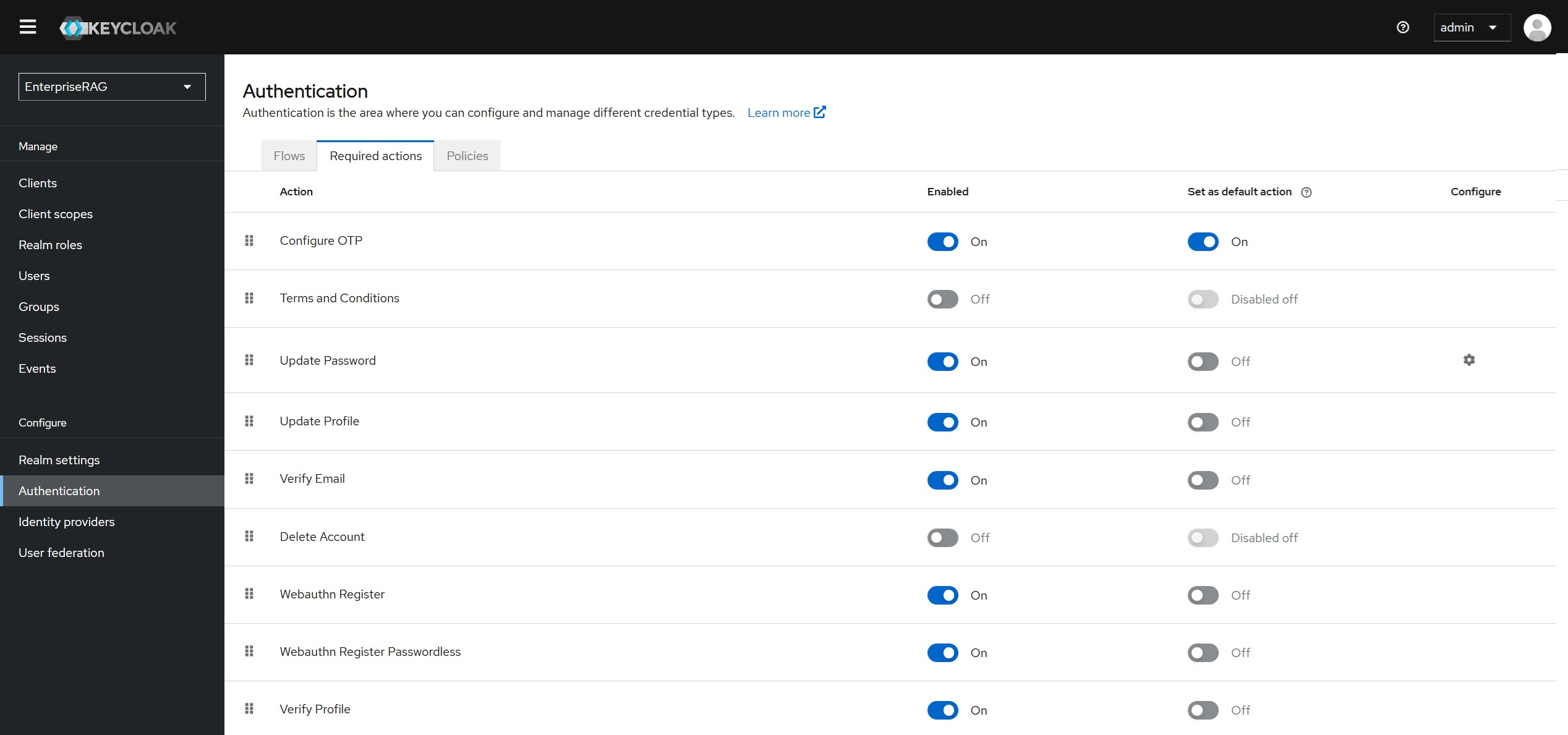
Navigate to Authentication → Required Actions.
Click Configure OTP and set it to Enabled.
(Optional) Check Default Action to require all users to configure MFA at their next login.
Click Save.
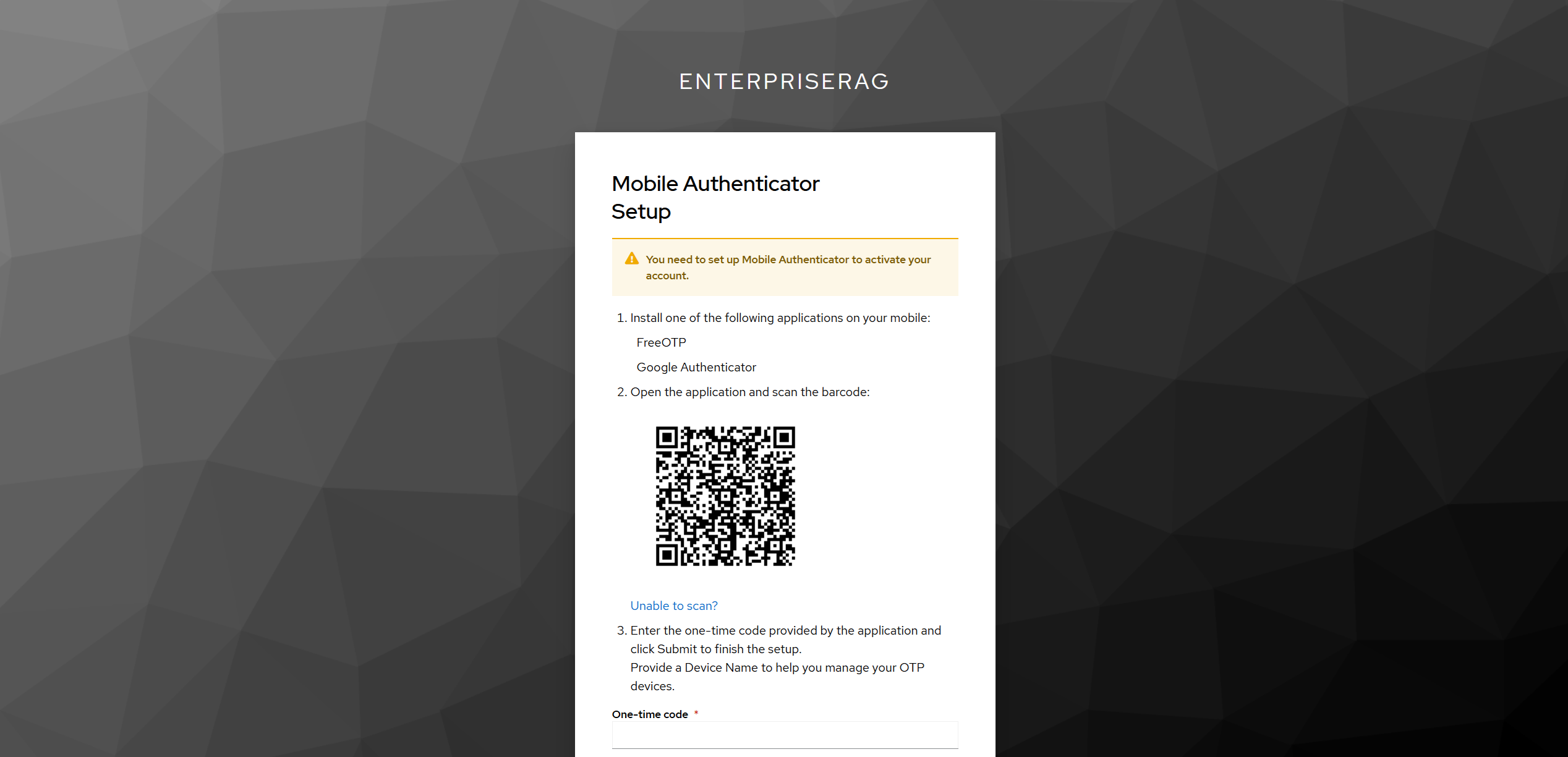
Users will be prompted to set up an OTP device the next time they log in. Follow the on-screen instructions to link Google Authenticator, which will then generate 6-digit codes for each login.
Related docs
| Topic | Link |
|---|---|
| Single Sign-On with Microsoft Entra ID | sharepoint.md |
| Enterprise AI Solutions configuration | ../../docs/customize/configuration.md |